Behind BookWords · A product case study

From a bedtime pause to a native iPhone app — in 9 days.

How one parent turned a recurring reading-time frustration into a polished iOS app using product-management first principles and an AI-assisted build process.


Colby Foster — founder & product manager · LinkedIn · {{ contactEmail }}
The problem
A child hits an unfamiliar word mid-story. Explaining it breaks the moment; skipping it loses the teaching opportunity; writing it down never happens.
The solution
A camera-first iPhone app: point at the word, confirm what the camera sees, keep reading. The word becomes a reviewed, parent-approved vocabulary card.
User vs. beneficiary
The parent operates the app; the child benefits. That single distinction shaped nearly every product decision.
Status today
A native Swift 6 / SwiftUI app, live on iPhone and iterating weekly from real reading sessions with real families.
My role
Everything except typing the Swift: problem definition, requirements, prototyping, design critique, prioritization, QA on device, and release management.
Key outcome so far
Idea → interactive prototype → shipping native beta, as a solo, non-developer PM directing AI tools. No traction metrics yet — and none invented here.
Designed, built & shipped with
Claude Claude Code ChatGPT OpenAI Codex Gemini Cursor GitHub Xcode Swift TestFlight Vercel Squarespace Google Cloud Google Vision API
01 · The observation

The problem showed up every night, in the same chair.

Reading with my daughter, the same scene kept repeating: she'd hit a word like craning, look up, and I'd face a live tradeoff with no good answer. Stop and explain — and lose the thread of the story. Keep going — and lose the word. Promise to look it up later — and forget.

The insight worth building on wasn't "kids need flashcards." It was that the moment of discovery and the moment of learning are separated by hours — and everything between them leaks. The product's job: capture in one second, learn later, lose nothing.

02 · Problem definition

Four needs, in direct tension.

Help the child understand
A real definition, at their level — not a watered-down guess.
Don't disrupt the reading
Anything over a few seconds breaks the story and the ritual.
Preserve the word for later
The learning happens after the story — the capture can't leak.
Zero admin for the parent
No typing, no research, no list-keeping. Parents are the user; tired parents are the reality.
03 · Product principles

Principles first. Features argue with each other; principles settle it.

01Camera-first, physical-book-first. The center tab is the camera. The book stays the hero; the phone is a tool, not a destination.
02The camera assists; the human confirms. It never auto-decides the word. This became the app's core philosophy after real-world testing (see build 9).
03Value before login. Capture your first word before any account exists. Local-first storage makes that possible.
04Dictionary definitions are read-only. Sourced, fixed, never rewritten — by the parent or by AI. Simpler explanations sit beside them, clearly labeled.
05Uncertain means omitted. Book-sentence context appears only at high confidence. An empty field beats an invented one.
06Parent review before approval. Nothing enters the child's library without a human yes.
07No photo retention. Once the card is approved, the book photo is discarded.
08No gamification. No streaks or mascots competing with the book. Physical printed flashcards — not points — are the long-term differentiator.
04 · MVP definition

Scope was a decision, not an accumulation.

In the MVP
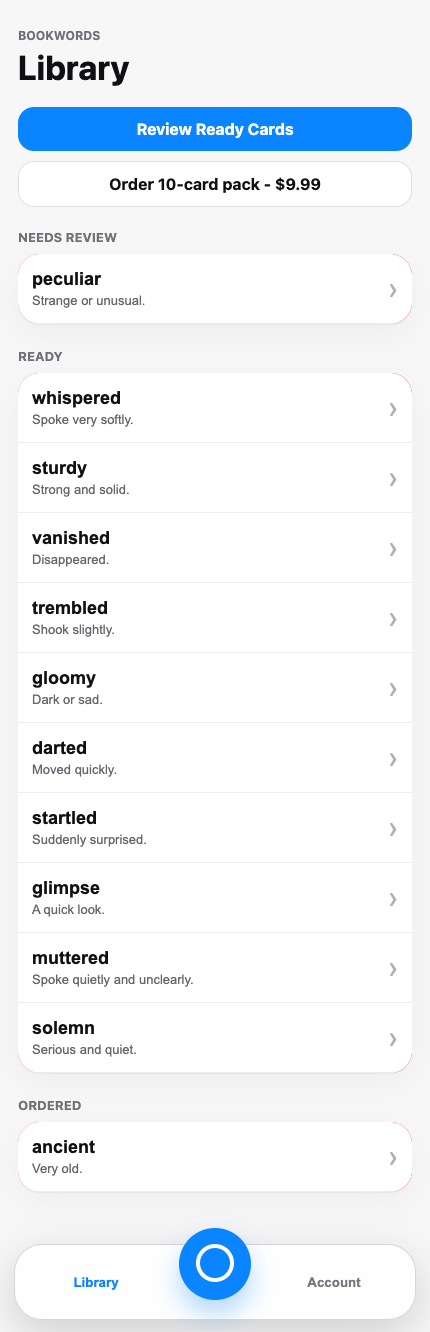
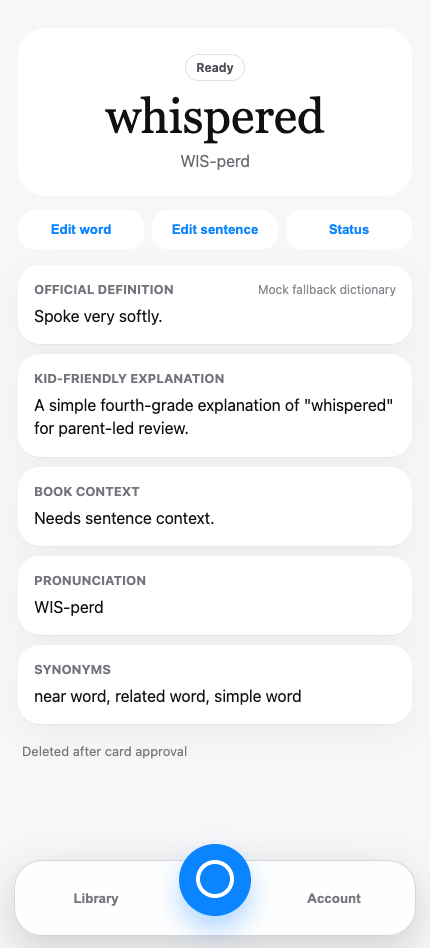
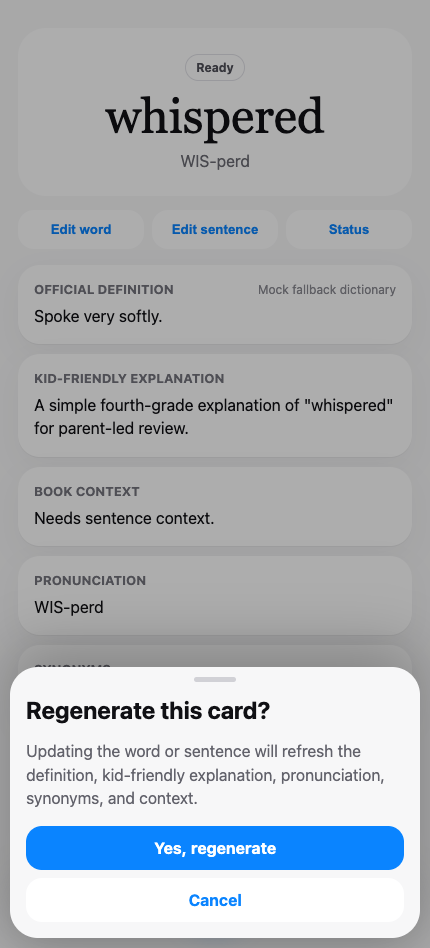
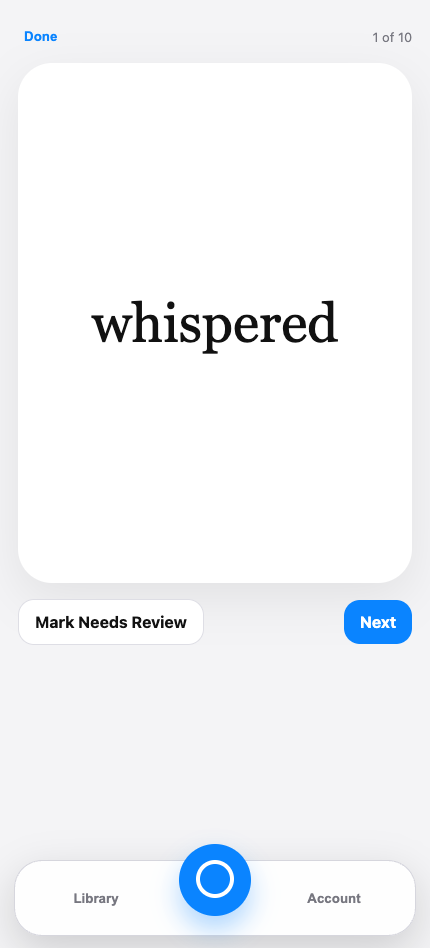
Live camera capture with word confirmation · dictionary definition + kid-friendly explanation · pronunciation respelling · synonyms · book sentence (high confidence only) · manual entry fallback · library with Needs Review / Ready statuses · review & approve flow · local-first storage
Deliberately later
Sign-in + cloud sync · AI-generated explanations via a backend (no AI keys in the app) · bulk word import · printed-card ordering (envisioned as a 10-card pack for $9.99) · dark mode as its own audited pass · App Store release
Explicitly excluded
Gamification of any kind · a child-facing mode · social features · ads · accounts required before first value · AI rewriting of dictionary definitions · retaining book photos
05 · Iteration history

Nine builds, each one simpler than the last.

Every build below shipped to a real iPhone through TestFlight and was tested against real books in real light. The arc to notice: complexity kept coming out.

v0
Interactive prototype
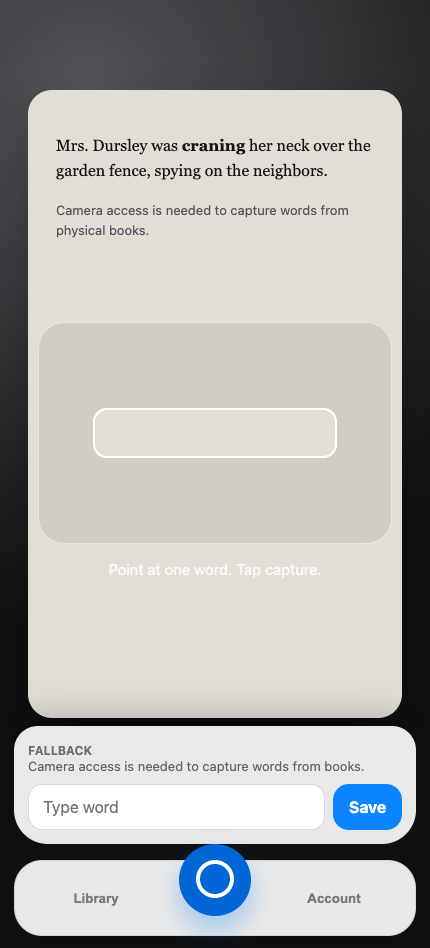
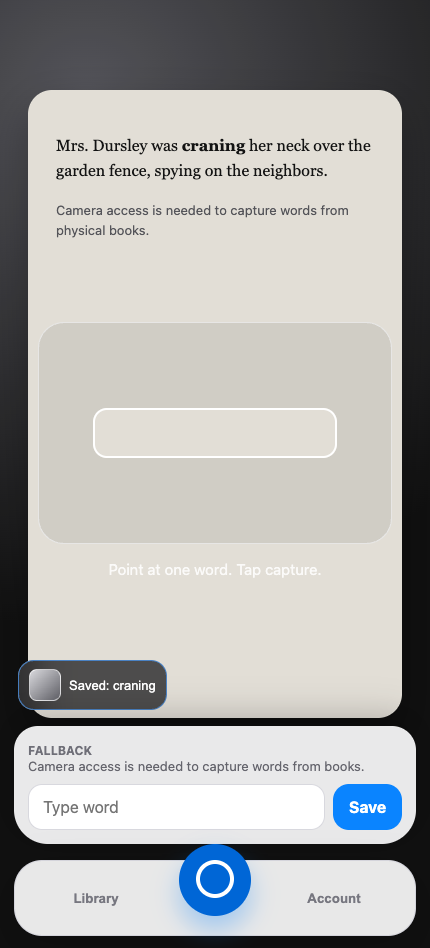
Every screen and flow, tappable in a browser, before a line of Swift existed. Used for screen-by-screen critique and still playable on the homepage — kept honest as the design source of truth.
B1
First native build
The core loop — capture, enrich, review, save — running as a real Swift 6 / SwiftUI app on TestFlight.
B2
Accuracy & navigation
Coordinate-based OCR cropping, an OCR quality gate, modal→push navigation fixes, keyboard autofocus, native Sign in with Apple.
B3
Live Text era
Switched to Apple's VisionKit DataScanner (live text recognition), added focus/macro handling, redesigned Edit Word, added Settings and a pronunciation respeller. Locked the beta to light mode after a white-on-white defect — a scoping call, not a shrug.
B4
Review, redesigned
Immersive card review with swipe-peek, clearer hierarchy, a flag for doubtful cards, delete-from-review, a more prominent Camera tab, and a viewfinder torch for dim bedrooms.
B5
Reliability pass
Fixed a shutter regression, rebuilt manual entry, routed the sample card through the real enrichment pipeline, and added a Datamuse fallback for words the dictionary API returns without synonyms.
B7
Seeing what the camera sees
Dual-rectangle framing — a wide focus area and a narrow word target — with a live highlight on the word under the target. The parent could finally see the app's "mind."
B9
Confirm & assist current
The shutter button is gone. A live pill shows the word under the target; tap to edit, one button to save, enrichment runs in the background. The capture that once took a photo, a crop, and a guess now takes a glance and a tap.
06 · Tradeoffs

The calls that defined the product.

Speed vs OCR confidence
Chose speed plus human confirmation over slower, "smarter" auto-detection. A one-second capture the parent verifies beats a five-second guess.
Helpful context vs fabricated context
Book sentences appear only at high confidence. An occasionally missing field costs less than one invented sentence costs in trust.
Accounts vs immediate value
Local-first storage so the first capture happens before any sign-in. Sync is a later problem; the first thirty seconds are the whole ballgame.
Parent control vs full automation
Full automation was tried (build 1–5 era) and walked back deliberately. The human is the source of truth; the app is the fast, quiet assistant.
Digital convenience vs physical learning
The endgame is printed cards in a child's hands, not more screen time. The app is the bridge, not the destination.
General tool vs focused use case
Said no to "flashcards for everything." Physical books + parents + early readers is narrow on purpose — narrow is how you get the details right.
07 · AI strategy

AI where it helps. Deterministic where it matters.

"AI-powered" is not a strategy. The real work is drawing the line: probabilistic systems where fuzziness is tolerable and a human confirms, deterministic and sourced systems everywhere trust is at stake.

Probabilistic — AI & ML, human-confirmed
On-device OCR — Apple VisionKit DataScanner + Vision framework read the page live; the parent confirms the word.
Kid-friendly explanations — planned as AI-generated via a backend service (never with API keys in the app), always labeled, never replacing the dictionary entry.
Context extraction — the book sentence, gated by a confidence threshold.
The build process itself — AI as design partner and pair programmer (next section).
Deterministic — sourced & rule-based
Definitions — Free Dictionary API, read-only. AI never rewrites the source of truth.
Synonyms — dictionary-sourced, with a Datamuse API fallback.
Pronunciation — a rule-based respeller (KRAY-ning, not IPA).
Statuses, approval, storage — plain state machines and SwiftData. No model in the loop.
Privacy rules — photo disposal after approval is code, not a policy promise.
08 · How it was actually built

One product manager. A full AI toolchain. Nine native builds.

BookWords is what precise product thinking looks like when it's paired with today's AI tools: deep understanding of the mobile platform, requirements written with engineering-level rigor, and a team of AI systems directed like a team of specialists.

Design & prototyping
Claude — wireframes, the interactive prototype, screen-by-screen critique, and this website. The prototype was frozen as the design source of truth before native work began.
Engineering
Claude Code — writes the Swift 6 / SwiftUI implementation from written specs: exact behaviors, states, edge cases, and acceptance criteria per build.
Research & thinking
ChatGPT — market research, API evaluation, and pressure-testing product decisions before they became requirements.
Delivery
GitHub + Xcode + TestFlight — version control with feature branches, archive-and-upload releases, and a private beta group testing on real hardware.
The weekly loop
1 · Test on device
Real books, real bedroom light, real hands — the simulator has no camera, so nothing counts until it works on the phone.
2 · Turn feedback into specs
Observations become precise, testable requirements — the PM craft that makes AI engineering work.
3 · Build with Claude Code
The spec is implemented in Swift; I review behavior against acceptance criteria, not code aesthetics.
4 · Ship to TestFlight
Bump the build, archive, upload, and start the loop again. Nine cycles so far.
Swift 6 SwiftUI SwiftData · local-first VisionKit DataScanner Vision OCR Free Dictionary API Datamuse API iOS 17+ TestFlight
09 · The prompts

Input = output.

AI didn't design BookWords — a vision with clear requirements and constraints did. The build prompts ran up to 21 pages each: screens, states, defects called out by name, quality thresholds, and hard constraints on security and honesty. These are real excerpts from the actual prompts that built the app — and you can download the full documents below.
Security, before anything else
"Never ask for: Apple ID password · GitHub password · App Store Connect API private key · .p8 files · .env values… If a credential is required, stop only the blocked integration, finish all unblocked work, and ask for the environment-variable names — never the secret value itself."
Every build prompt opened with secret-handling rules. Nothing sensitive ever passed through a chat window.
Never fake sourced data
"If the dictionary lookup fails: do not invent an official definition and present it as sourced. Mark the card Needs Review… Do not invent sentence context. Do not fabricate a book sentence."
Hallucination risk handled as a requirement, not a hope — honest failure states over confident fabrication.
The north-star constraint
"The parent-child reading experience is sacred. BookWords must not become the experience. The physical book and the reading moment are the experience. The app should support that moment and then disappear."
One paragraph that settled a hundred downstream design arguments before they happened.
Quality gates, quantified
"A captured word can become Ready only if: OCR confidence is at least 80%, the detected word is found in the dictionary source, and the word has a clean word shape. If any check fails, mark the card Needs Review."
"Works most of the time" became a testable threshold with a defined failure path.
Defects, called by name
"Fix this defect immediately. Empty manual input must never save 'craning' or any mock word. Manual Save should be disabled until the user types at least one character. The input should be treated as required."
Screen-by-screen QA fed straight back into the next prompt — exact behavior, exact acceptance criteria.
Engineering discipline
"Work on feature/native-ios-testflight-mvp, not main. Use pull requests for review. Do not commit secrets, .p8 keys, provisioning profiles, private certificates, or .env files… Do not overbuild."
Branch strategy, PR review, and scope control — the AI got the same guardrails a contractor would.
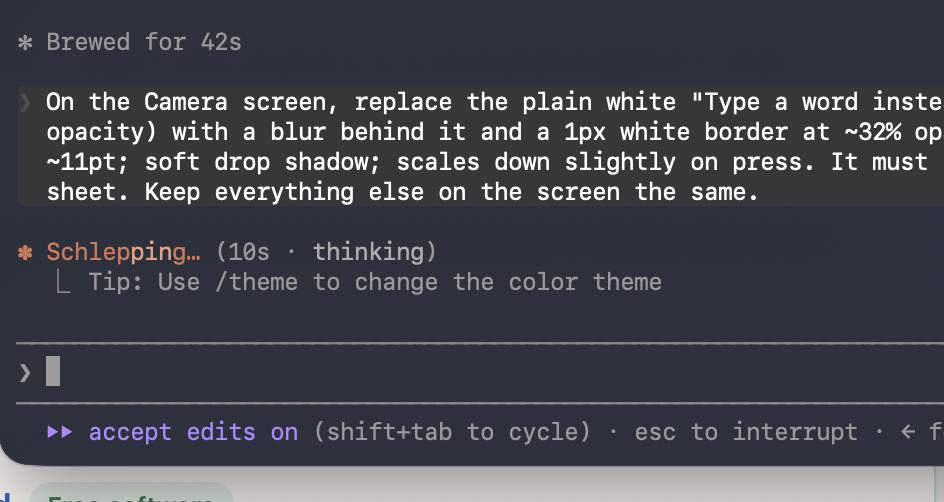
A Claude Code session showing a precise design instruction for the Camera screen
A real mid-build instruction: pixel-level spec for one Camera-screen control — blur, border opacity, type size, press behavior — and an explicit "keep everything else the same."
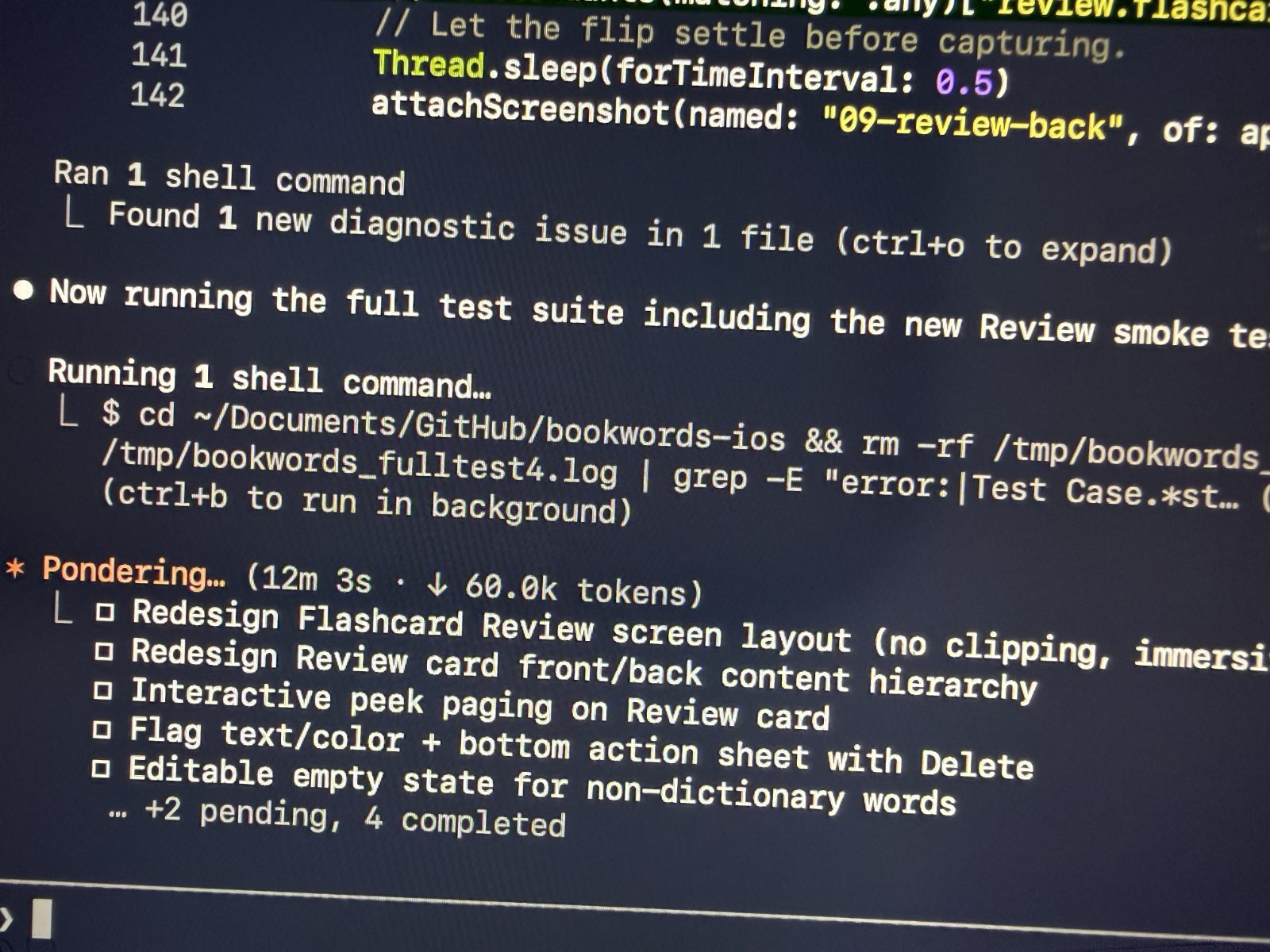
A terminal session running the BookWords iOS test suite with a task checklist
The build 4 review redesign in flight: Claude Code working a task checklist and running the full XCUITest suite, screenshot assertions included.
Read the full prompts
10 · What changed through feedback

Judgment, shown in the diffs.

Removed the shutter button. The camera was already reading the page — making the parent take a photo was theater. Build 9 replaced snap-and-guess with a live word pill and one Save button.
Replaced photo-crop OCR with live scanning. Coordinate-cropping a still photo (build 2) lost to Apple's live DataScanner (build 3) — faster, and it let the parent see recognition happen.
Made definitions read-only. Early flows let editing blur the line between the source and the summary. Now the dictionary entry is fixed; edits touch only the parts a parent should own.
Corrected unreliable sentence context. When context extraction guessed, it was removed and gated behind confidence instead of "improved."
Locked the beta to light mode. A white-on-white defect surfaced a half-supported dark mode. Rather than patch it screen by screen, dark mode was cut from the beta and scheduled as its own audited pass.
Swapped custom controls for native patterns. Modal stacks became push navigation; bespoke widgets became standard iOS ones. Familiarity beats novelty in a tool for tired parents.
Added a synonym fallback. Real testing showed the dictionary API often returns no synonyms — Datamuse now fills the gap instead of shipping empty cards.
11 · Lessons & what's next

Candid lessons, honest roadmap.

The device is the truth. The iOS simulator has no camera — the biggest risks lived exactly where automated verification couldn't reach. Every build plan now states what can't be verified without a real phone.
AI engineering quality equals requirement quality. Vague prompts produced vague builds. The leverage was never the model — it was the spec.
Simplification is a feature. The best builds removed things: the shutter, duplicate statuses, custom controls. Each removal came from watching a real capture struggle.
Trust is a design material. Read-only definitions, omitted-when-uncertain context, and discarded photos aren't compliance chores — they're the product's spine.
Next, in order
Widen the TestFlight beta beyond the first family · AI-generated kid-friendly explanations via a backend service · bulk word import (CSV) · sign-in + cloud sync · printed flashcard ordering · App Store release
12 · From the archive

The original wireframes.

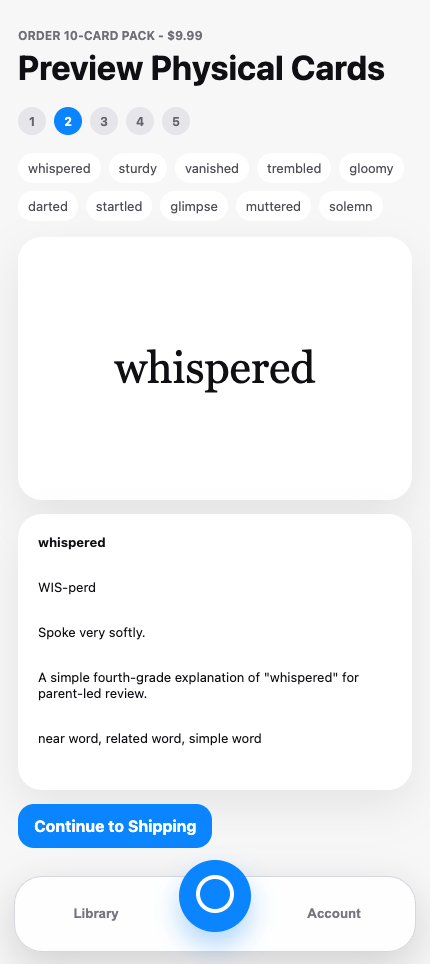
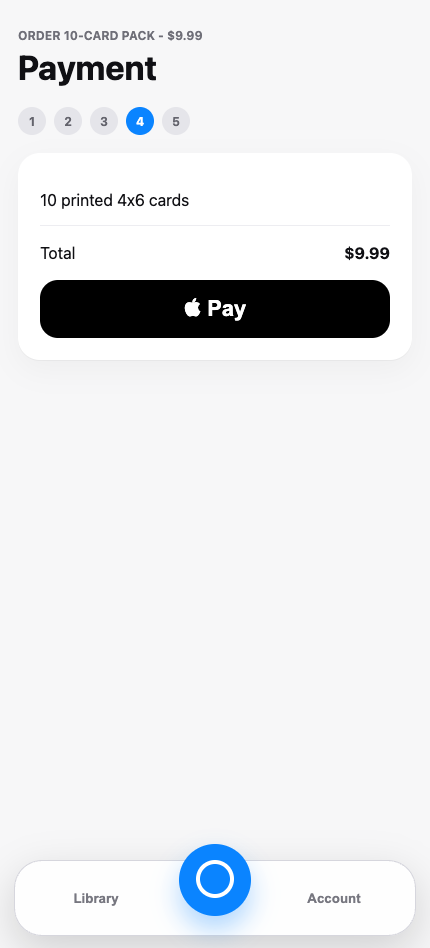
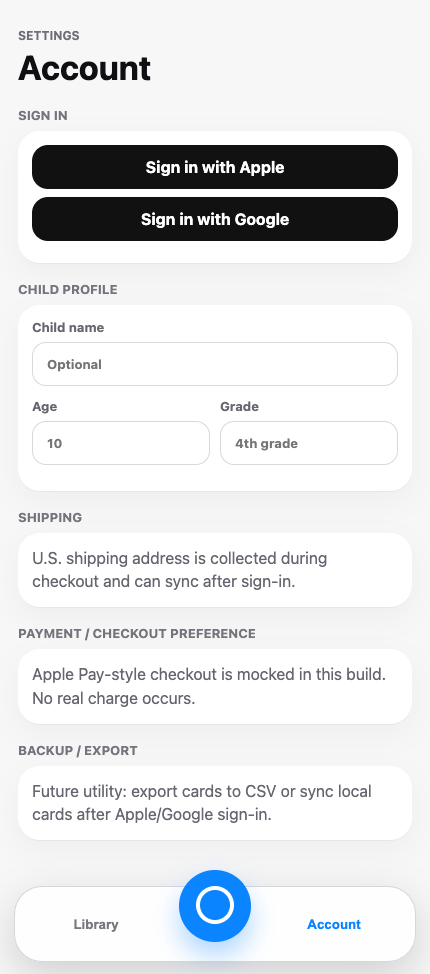
Before the prototype, before a line of Swift — nine black-and-white wireframes mapping the full MVP flow, from the camera to checkout. Drawn to settle the product's shape first, so every build after had a map to argue with.
Wireframe: launch / active camera
01 · Launch / active camera
Wireframe: capture confirmation
02 · Capture confirmation
Wireframe: card library
03 · Card library
Wireframe: card detail
04 · Card detail
Wireframe: edit / regenerate sheet
05 · Edit / regenerate
Wireframe: mobile flashcard review
06 · Flashcard review
Wireframe: preview physical cards
07 · Preview physical cards
Wireframe: payment
08 · Payment
Wireframe: account / settings
09 · Account / settings

…and the real app, twelve builds later.

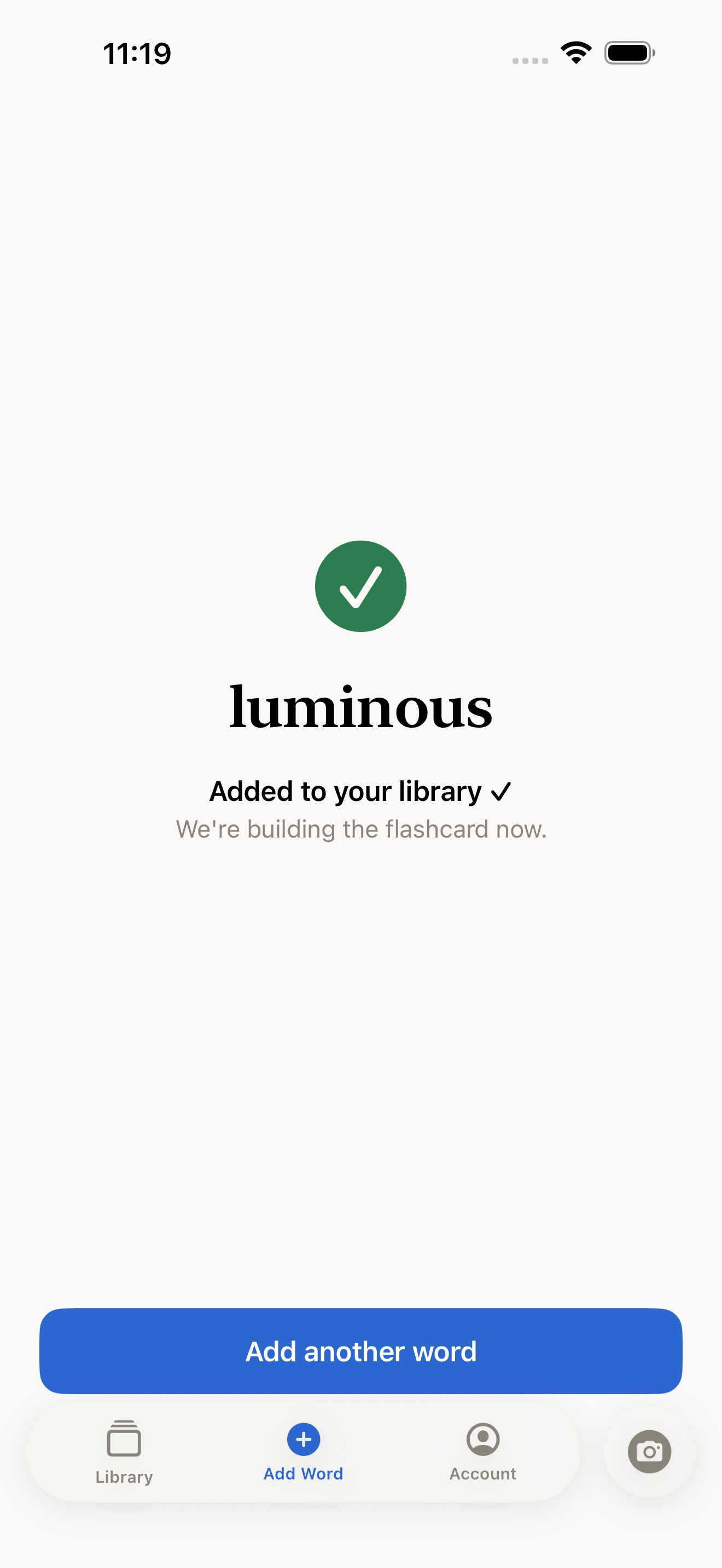
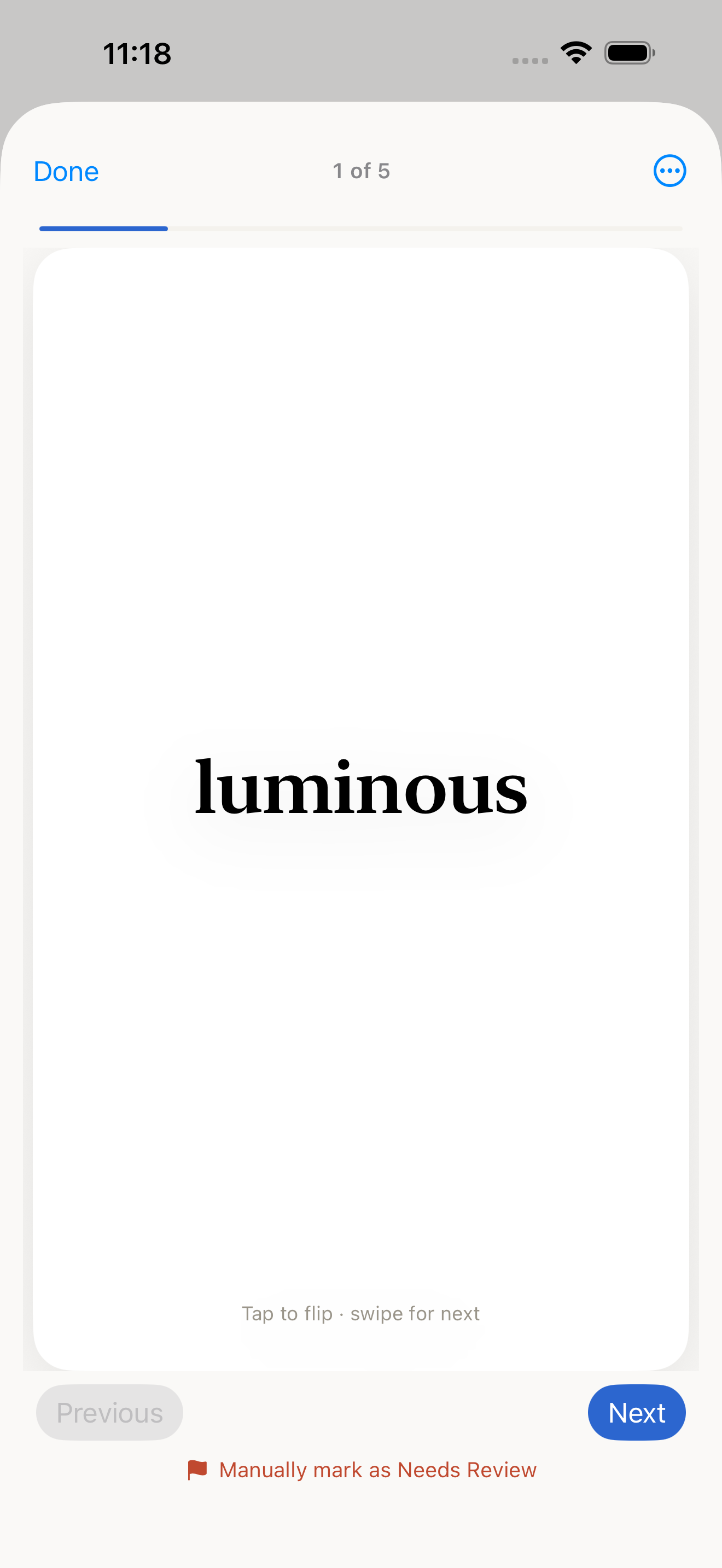
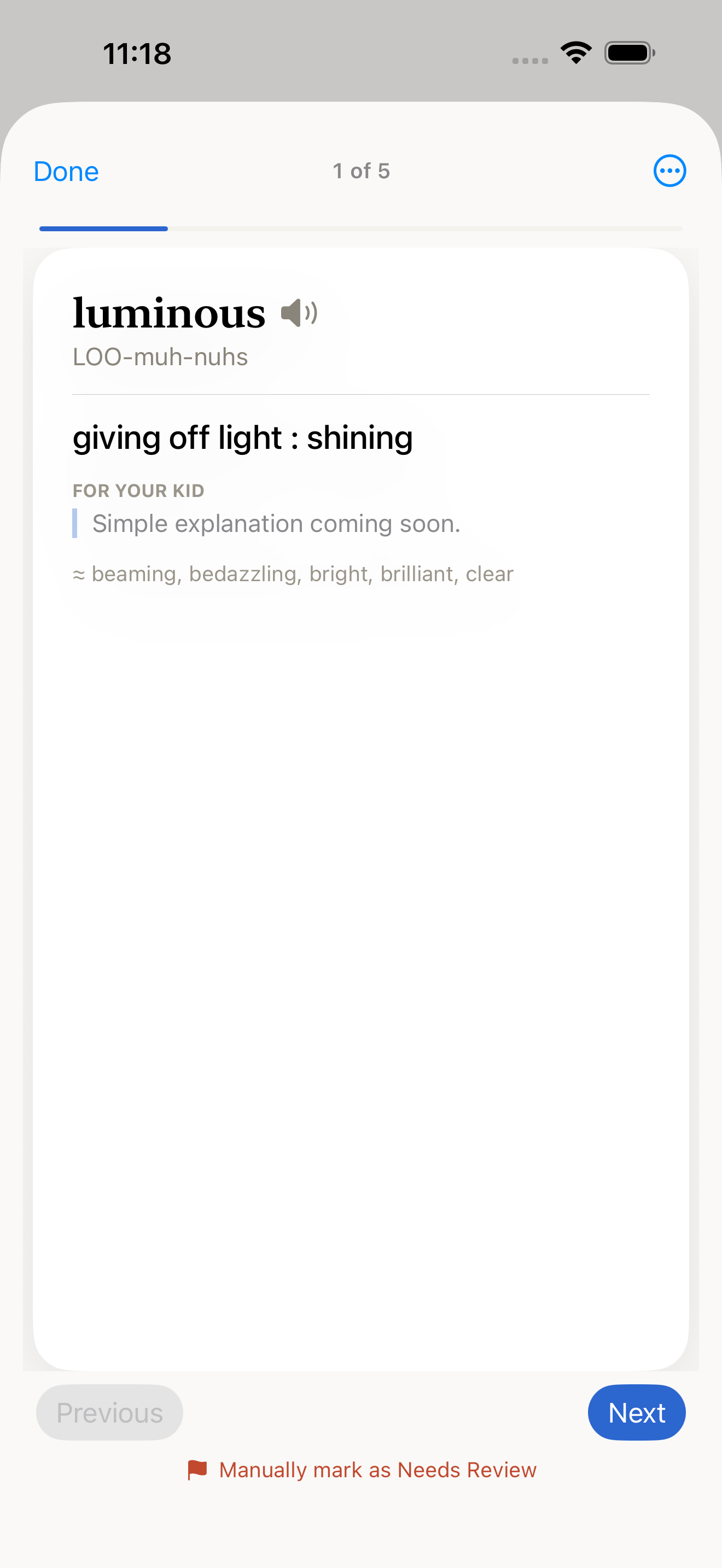
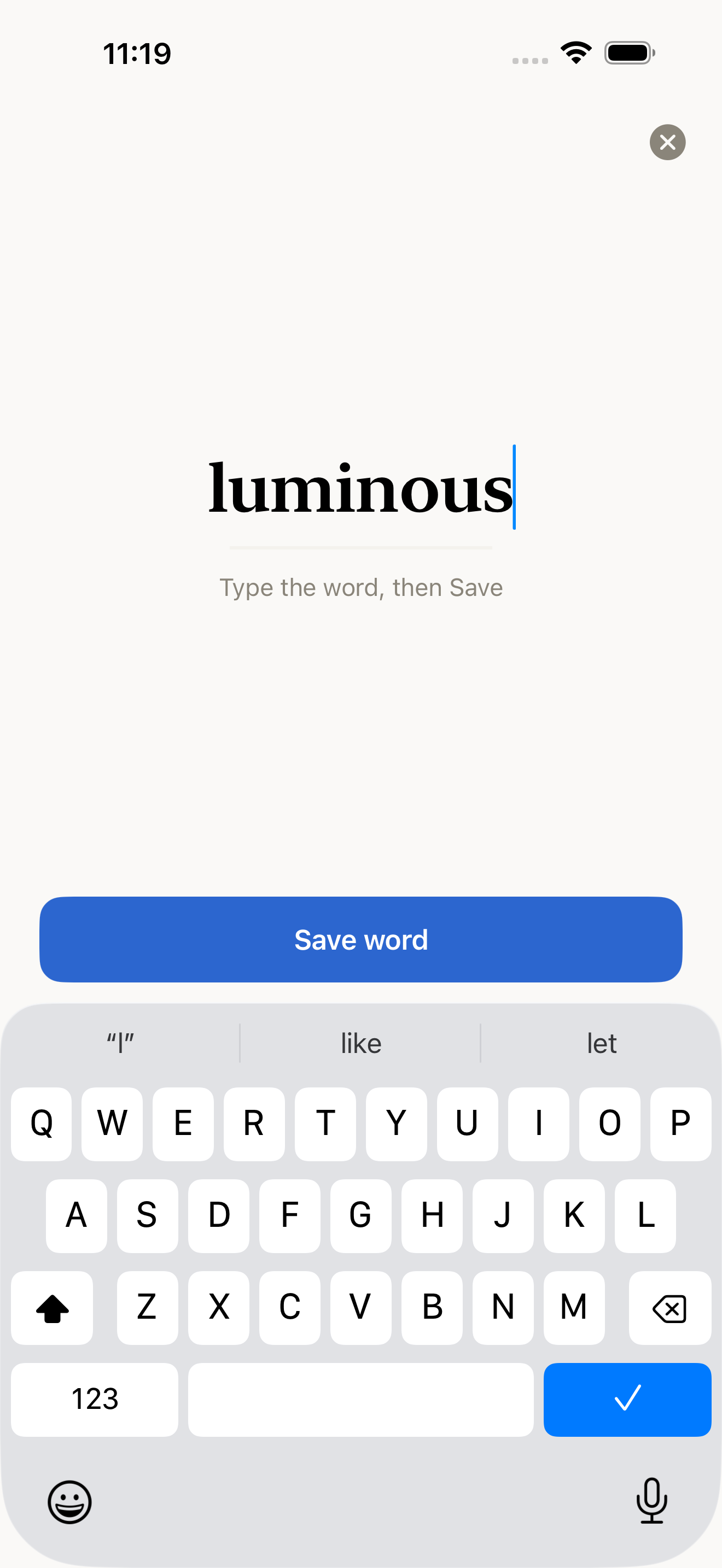
The same flow, running natively on iPhone in build 12 — manual word entry, the save confirmation with enrichment working quietly in the background, and the finished flashcard in review.
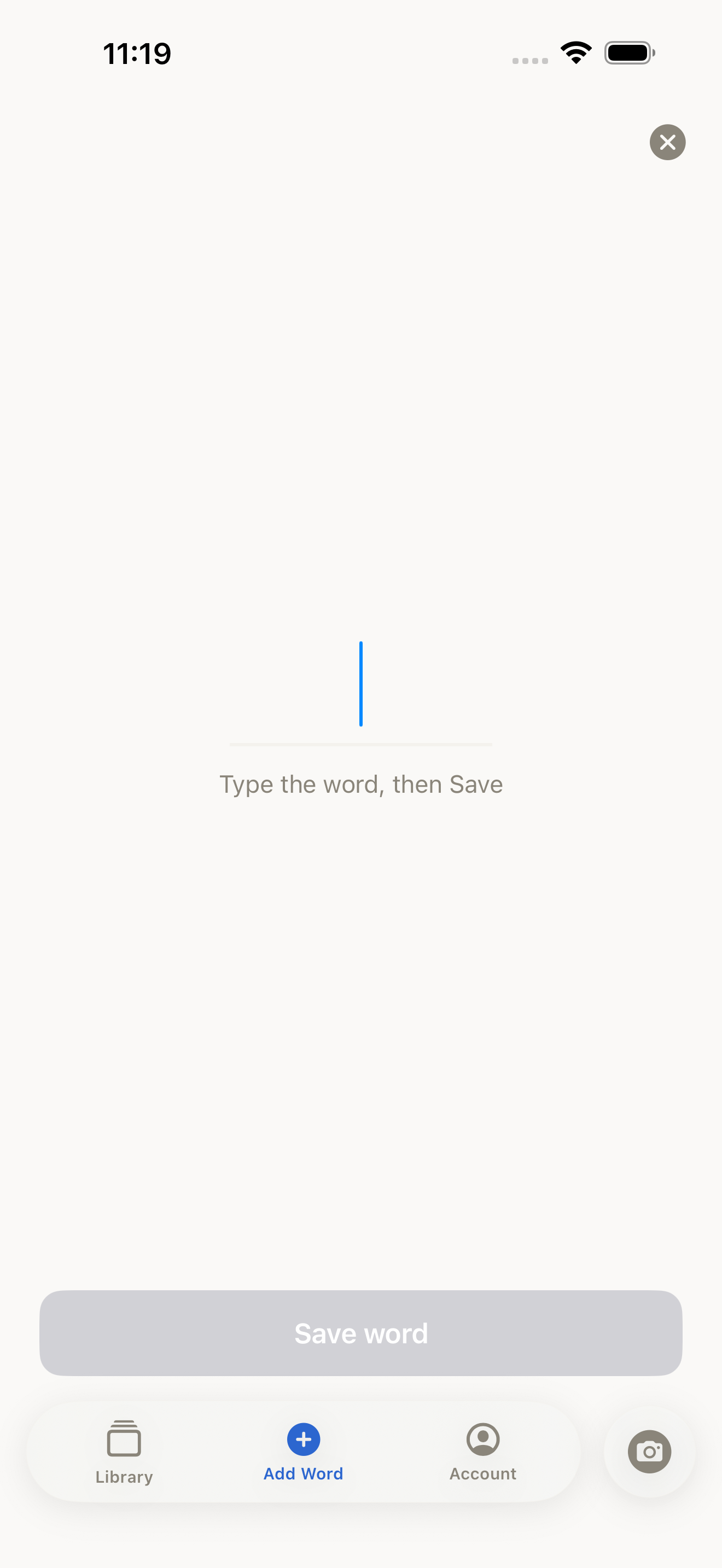
Build 12: Add Word screen, empty state with Save disabled
Add Word — Save disabled until you type
Build 12: Add Word screen with 'luminous' typed and Save enabled
Type the word, one Save button
Build 12: confirmation screen — added to your library, flashcard building in background
Saved — the card builds in the background
Build 12: flashcard review, front of card showing the word luminous
Flashcard review — tap to flip
Build 12: flashcard back with definition, kid-friendly explanation placeholder, and synonyms
The card: definition, respelling, synonyms

Want the parent version of this story?

The consumer site tells it in four scrolls — and lets you play with the prototype yourself.

Visit BookWords Connect on LinkedIn
or email {{ contactEmail }}